
What to Do If Your Phone Is Stolen? Prevent Flight Mode from Disabling Location Tracking! 3 Essential Anti-Theft Settings for iPhone and Android | A Must-Read for Travelers
When traveling or commuting, phone theft has become a common risk. Especially with smartphones combining mobile payments, e-tickets, bank accounts, and personal data, losing or having one stolen is not just a financial loss, but also a risk of personal data leakage.
This article will outline anti-theft techniques, such as phone anti-theft settings, iPhone/Android location tracking, and eSIM handling methods, to help users comprehensively enhance their phone security.
Recommended! Lucky SIM Super Value SIM Card to Keep Your Number, 3 Years 30GB Global SMS Receiving:https://1worldsim.com/products/luckysim-esim-3years-30gb-keephknumber
Hot Sale! Lucky2 Global 50 Countries 12GB Annual Card, Plus 5GB Hong Kong Data:https://1worldsim.com/products/lucky2-esim-50region12gb-hk5gb
The Biggest Risk of Phone Theft: Airplane Mode Disables Location Function
Most mainstream phones are equipped with location functions, such as "Find My" for iPhone and "Find My Device" for Android. These functions rely on network connectivity (Wi-Fi or mobile data) to operate.
A common tactic for thieves after stealing a phone is to immediately enable airplane mode, taking the device offline and thus interrupting the location tracking function.
It is worth noting:
- Once the phone is offline, location accuracy will significantly decrease.
- Even if it reconnects later, the optimal tracking window may have already been missed.
Therefore, "preventing the phone from being forced offline" is one of the key strategies for phone anti-theft.
iPhone Anti-theft Settings: Disable Control Center on the Lock Screen
According to Apple's official security design, users can significantly reduce the risk of theft through simple settings.
Operating Steps:
- Go to "Settings"
- Tap "Face ID & Passcode"
- Enter your device passcode
- Under "Allow Access When Locked," turn off "Control Center"
Once completed, the phone will not be able to directly open the Control Center or quickly enable airplane mode when locked. This effectively prevents unauthorized individuals from disconnecting the network, increasing the success rate of locating a lost iPhone.
Android Anti-theft Tips: Restrict Quick Feature Operations
Android system settings vary slightly depending on the brand (e.g., Samsung, Google Pixel, Xiaomi), but the basic protection principles are consistent.
Common effective methods include:
- Require unlock to enable airplane mode (default on some brands)
- Remove the airplane mode button from the quick panel
- Enable "Find My Device" function (supports remote locking and locating)
Users are advised to go to "Quick Settings" or "Control Center Editor" to check and remove high-risk functions, reducing the possibility of misuse.
Anti-theft Advice for International Travel: eSIM and Data Cards Increase Chances of Recovery
For frequent international travelers, a stable network is crucial for phone anti-theft. Using a travel eSIM or global data card ensures the phone remains connected even overseas.
Benefits of a stable network include:
- Instantaneous phone location tracking
- Remote locking or data wiping
- Receiving security notifications and verification messages
Additionally, it is recommended to take the following measures:
- Enable iCloud or Google Cloud backup
- Activate remote lock and data erase functions
- Avoid storing all important documents only on a single device
For reliable international data solutions, consider services like 1worldsim.com , which offers multi-country eSIMs and data cards, ensuring stable connectivity during your travels.
Summary: 3 Essential Phone Anti-theft Settings
In summary, the following three are the most crucial phone anti-theft measures:
- Disable Control Center on the lock screen (iPhone)
- Remove or restrict quick access to airplane mode (Android)
- Use a travel eSIM/data card to maintain network connectivity
By following these methods, even if your phone is unfortunately lost or stolen, you can significantly increase the chances of recovery and reduce the risk of personal data leakage. For users who frequently travel abroad or rely on cross-border data services, combining phone security settings with a reliable internet solution is the most comprehensive protection strategy.
Conclusion: Overseas Hotspot Sharing is One of the Most Practical Internet Solutions
To purchase global data cards or eSIM plans, please visit 1worldsim.com and choose the most suitable travel data plan for you.

Other Articles: iPhone
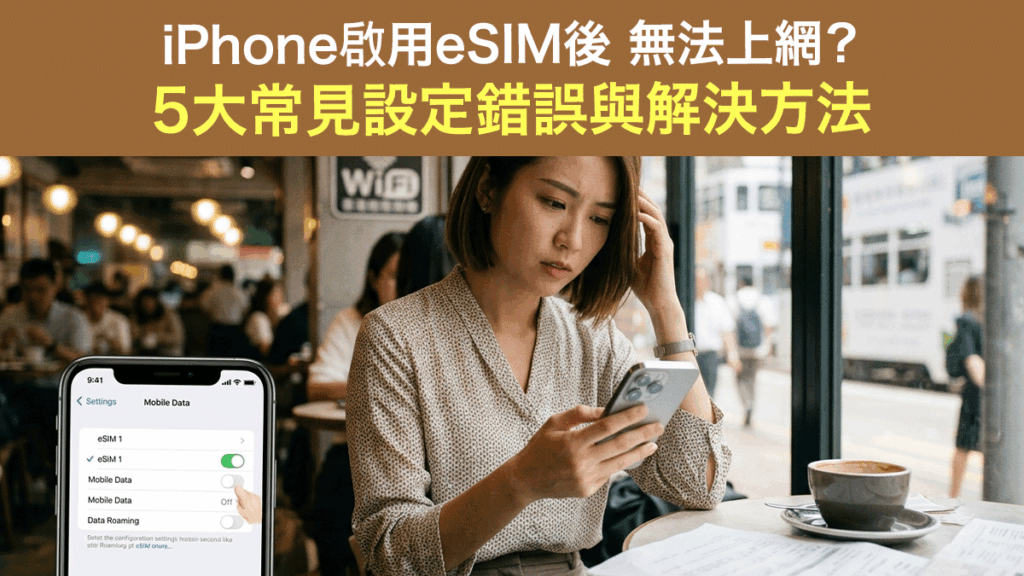
This article organizes the reasons why iPhone eSIM cannot access the internet and quick solutions to help users instantly restore mobile data connection.
Article Details:https://stepstepinfo.com/?p=31388
Other Articles: Lucky SIM Mobile Number Porting to Keep Your Number
Many people want to keep their Hong Kong mobile number, and the "$138 3-year" super value plan is the top choice for mobile number porting! Besides free SMS receiving in Hong Kong and overseas, the Hong Kong data has been upgraded to 30GB, while the prices for the 540-day/2-year/3-year plans remain unchanged, with further data upgrades! This is a great deal!
Newly added 30GB roaming data for 42 countries/regions, expanding global internet access! All porting plans can be topped up/renewed later, so whether you are in Hong Kong or overseas, you can add data as needed, no worries about running out of data.
Lucky SIM phone cards are compatible with various devices, including physical cards or eSIM-supported phones. Whether you are in Hong Kong or overseas, you can use the official authorized form below to apply for number porting, and an official authorized agent will contact you.
Google Form Application:https://forms.gle/tY7vCdDgRFTYZd616 (You can choose a physical card or eSIM)
Article Details:https://stepstepinfo.com/?p=2694

Official authorized agent StepStepInfo, offering priority sales of various LuckySIM and Lucky2 eSIMs, please refer to the prices:https://1worldsim.com/collections/lucky-sim

Lucky2 50 Countries/Regions 365 Days 12GB Unlimited Data Card + 5GB Hong Kong (eSIM)
This annual card provides 365 days of roaming data service, with the first 12GB being high-speed data. After using up the high-speed data, you can continue to use unlimited data at a reduced speed of 384kbps, plus an additional 5GB of Hong Kong data!
This annual card supports 50 popular travel countries and regions worldwide, including China, Taiwan, Hong Kong, Macau, Japan, Korea, UK, France, Germany, Canada, USA, and major areas in Europe, Asia, America, Canada, Australia, and New Zealand.
Except for Hong Kong and Taiwan, real-name registration is not required for other regions. eSIM version, seize the limited-time offer!
Online store order: https://1worldsim.com/products/lucky2-esim-50region12gb-hk5gb

Lucky2 China, Japan, Korea, Taiwan, Macau 5 Regions 365 Days 40GB Unlimited Data Card + 5GB Hong Kong (eSIM)
The best-selling annual card! Upgraded from 30GB to 40GB! High-speed 5G/4G, followed by unlimited internet at a reduced speed of 512K, plus an additional 5GB of Hong Kong data.
Real-name registration is required for Hong Kong or Taiwan; only one registration is needed to use it in both places. Real-name registration is not required for China/Macau/Japan/Korea.
Online store order: http://1worldsim.com/products/lucky2-esim-5region25gb

LuckySIM 3 Years 30GB + 2000 Minutes Keep Hong Kong Phone Number Recommendation (eSIM)
The phone number retention SIM card is a bestseller! It offers a long validity period of 3 years, plus an additional 30GB of Hong Kong data. Real-name registration is required to keep your Hong Kong phone number at a super low price.
Online store order: https://1worldsim.com/products/luckysim-esim-3years-30gb-keephknumber

Official authorized agent StepStepInfo, prioritizing the sale of various LuckySIM and Lucky2 eSIMs. For prices, please refer to:https://1worldsim.com/collections/lucky-sim