

eSIM Won't Download? The Real Reasons Why Your QR Code Keeps Expiring
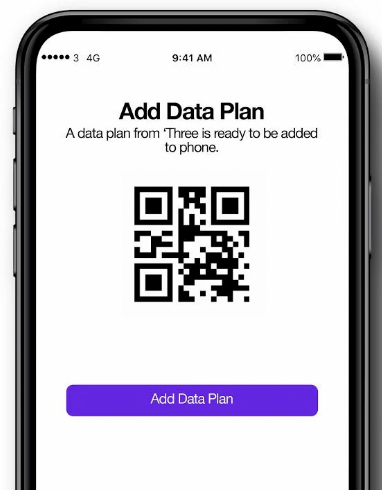
Purchasing an eSIM for internet access before traveling or going abroad has become mainstream, but many users encounter issues such as "QR Code cannot be scanned," "eSIM download failed," or "cannot add cellular plan" during installation. This article will thoroughly analyze the common reasons why QR Codes frequently fail and provide solutions to help you quickly complete your eSIM installation.
Highly Recommended! Lucky SIM Super Affordable SIM Card to Keep Your Number, 3 Years 30GB Global SMS Roaming:https://1worldsim.com/products/luckysim-esim-3years-30gb-keephknumber
Bestseller! Lucky2 Global 50 Countries 12GB Annual Card, Plus 5GB Hong Kong Data:https://1worldsim.com/products/lucky2-esim-50region12gb-hk5gb
I. Common Reasons Why eSIM QR Codes Don't Work
1. QR Code expired or already used (most common)
Most eSIM QR Codes are single-use only. Once successfully downloaded or scanned, they become invalid. If you see a "Code invalid" or "already used" message, you usually need to request a new QR Code.
Additionally, some eSIM QR Codes have an expiration date (approximately 30–90 days), after which they also cannot be used.
2. Unstable network causing download failure
eSIM installation requires a stable network (Wi-Fi or data). If operating in an airport or public Wi-Fi environment, it may lead to download interruptions or failures.
3. Phone does not support eSIM or is locked
Not all phones support eSIM, such as older models or certain regional versions.
Furthermore, if the phone is Carrier Locked, it will also prevent eSIM installation.
4. QR Code scanning environment issues
Scanning failures can also arise from technical aspects, such as:
- Insufficient light or reflection
- Blurred or low brightness QR Code
- Dirty camera lens
These factors can affect recognition accuracy.
5. eSIM installed but not activated
Many users mistakenly believe the installation failed, but in reality, the eSIM was successfully downloaded but not activated.
It is recommended to check "Cellular/SIM management" in the settings to see if the eSIM is already present.
II. Quick Solutions for eSIM Download Failure
Here are the most effective troubleshooting steps:
- Redownload using a stable Wi-Fi connection
- Confirm your phone supports eSIM and is unlocked
- Check if the QR Code has expired or been used
- Restart your phone and rescan
- Confirm if the eSIM already exists in the system
Statistics show that most eSIM issues can be resolved within minutes.
III. When to Contact Customer Service?
If any of the following situations occur, it is recommended to contact the eSIM provider directly:
- QR Code has expired or cannot be reused
- eSIM was deleted and cannot be reinstalled
- "Cannot add cellular plan" error appears
Customer service can usually resend the QR Code or provide manual installation details.
Conclusion: Keys to Avoiding eSIM Installation Failure
Choosing a reliable eSIM platform, installing in advance (before departure), and ensuring device compatibility are the three major keys to avoiding problems.
If you are looking for global eSIM recommendations, travel internet cards, or instant-use eSIMs, it is advisable to choose a platform with stable support and excellent customer service (such as 1worldsim.com ) to greatly reduce the risk of installation failure.
